
Regression testing checklist: free template + AI prompts

A regression testing checklist lets you ship a change knowing the parts of your product that already worked still work. It tells you exactly what to retest for this release, in what order, and what "pass" looks like, so you catch the broken checkout or the missing email on staging instead of hearing about it from a customer.
This guide gives you a free regression testing checklist template, AI prompts that build a checklist from your own pull request in ChatGPT, Claude or Gemini, a worked example for a real-world refactor and a workflow from code review to the first hour after deploy. If you have a risky change open right now, paste it into the regression test checklist prompt and start there.
What a regression testing checklist covers
Regression testing means re-checking existing features after a change, to confirm nothing that used to work has broken. A checklist turns that from "click around and hope" into a short, repeatable list. A good one covers four things:
- Smoke tests you run on every release: login, the flow that makes money, and the main screen.
- Targeted checks for everything the change could reach, ranked by risk.
- Data and integrations, because old records, reports and webhooks are where breaks go unnoticed for weeks.
- A rollback trigger, so the team knows the exact sign that means revert.
How much to retest for each type of change
Running the full checklist on a one-line hotfix wastes a day, and running only smoke tests on a database migration is how data gets lost. Match the scope to the change.
| Type of change | What to retest | Typical time |
|---|---|---|
| Hotfix | Smoke tests + the exact bug + the code it touched | 15-30 minutes |
| New feature | Smoke tests + the feature's test plan + neighbouring features | Half a day |
| Refactor | Smoke tests + full blast radius, with old and new outputs compared | Half a day to a day |
| Dependency upgrade | Smoke tests + every call to the upgraded library + build and deploy | 1-3 hours |
| Database migration | Smoke tests + old records, reports, imports and exports + rollback rehearsal | A day, with a rehearsal |
| Config or infrastructure | Smoke tests + logins, emails, jobs and anything with a time zone or secret | 1-2 hours |
Free regression testing checklist template
Copy this into your PR template, wiki or test management tool and keep it as your master. Sections 3 and 9 stay the same every release. Section 4 is the one you rebuild for each change.
REGRESSION TESTING CHECKLIST

Release / PR: [name or link]      Owner: [name]      Date: [date]

1. THE CHANGE
[ ] One-sentence summary of what changed and why
[ ] Files, services, tables and config touched
[ ] Type: hotfix / feature / refactor / dependency upgrade / migration / config

2. BLAST RADIUS
[ ] Every feature, screen, job and API that calls the changed code
[ ] Integrations that read or write the same data (payments, email, webhooks, exports)
[ ] Each item rated: likelihood of a break (H/M/L) x how bad an unnoticed break would be (H/M/L)

3. SMOKE TESTS (always, every release, under 15 minutes)
[ ] Sign up, log in, log out, password reset
[ ] The one flow that makes money (checkout, booking, subscription)
[ ] The main screen loads with real data for an existing account
[ ] Core create / edit / delete on the main object
[ ] Outgoing emails and notifications still send

4. TARGETED REGRESSION (from the blast radius, highest risk first)
[ ] Each high-risk item has a test case with steps and an expected result
[ ] Each test is marked: covered by an automated test already / new manual check / new test to write
[ ] Old bugs in this area re-checked (search the tracker for the module name)

5. DATA AND INTEGRATIONS
[ ] Existing records still display and save (old data, odd data, empty fields)
[ ] Imports, exports and reports produce the same totals as before
[ ] Webhooks, third-party APIs and scheduled jobs run without errors

6. PERMISSIONS AND ACCOUNTS
[ ] Each role (admin, member, guest, read-only) sees only what it should
[ ] Free, trial, paid and cancelled accounts behave correctly

7. DEVICES, BROWSERS, SETTINGS
[ ] Latest Chrome, Safari and Firefox, plus one phone
[ ] One non-default setting: other language, currency or time zone

8. NON-FUNCTIONAL
[ ] Page and API response times within 20% of the last release
[ ] No new errors in the logs or error tracker on staging
[ ] Security-sensitive paths re-checked if auth, input handling or payments changed

9. RELEASE AND ROLLBACK
[ ] Rollback steps written down and tested once
[ ] Rollback trigger agreed: the exact metric or error that means "revert"
[ ] Watch list for the first hour after deploy: dashboards, error rate, support inbox

10. SIGN-OFF
[ ] Failed checks fixed or accepted in writing, with a ticket
[ ] Go / no-go decision recorded, with who made it
Want the blast radius worked out for you? Paste the change into the free regression test checklist prompt. It lists every flow the change could affect, ranks them by risk, writes the check for each high-risk item and gives you a rollback trigger you can act on.

Rank the blast radius before you test anything
You will never retest everything, so decide what to test first. Score each affected area on two questions: how likely is a break, and how bad would it be if nobody noticed for a week? An area that is likely to break and expensive to miss goes to the top. One that is unlikely and harmless gets a smoke test at most.
The second question matters more than most teams expect. A crashed page gets reported in minutes. A discount that applies twice, an invoice with the wrong VAT or a nightly export that stops running can go unnoticed for a month. Those are the checks that belong at the top of your list.
The regression checklist generator prompt
This prompt fills the template with checks for your own change. Give it the real PR description and the list of past bugs in that area: old bugs are the best predictor of new ones.
You are a senior QA engineer. Build a regression testing checklist for the change below, using my template. Focus on what this specific change could break, and skip generic checks that don't apply.

What changed: [paste the PR description, diff summary or ticket]
Type of change: [hotfix / feature / refactor / dependency upgrade / migration / config]
Product and stack: [what the product does, main languages and frameworks]
What depends on the changed code, as far as I know: [callers, features, jobs, integrations]
Existing automated tests in this area: [describe, or "unknown"]
Past bugs in this area: [paste ticket titles, or "none known"]

Rules:
- Start with the blast radius: list every feature, job and integration that could be affected, including indirect ones, and rate each H/M/L for likelihood and for how bad an unnoticed break would be.
- Write a test case for each high-risk item: preconditions, numbered steps and one expected result I can check.
- Mark each case: already covered by existing tests, new manual check, or new automated test worth writing.
- Keep the smoke tests to the 5-8 checks that matter most for this product.
- End with one rollback trigger: a specific, observable sign after deploy that means we revert.
- Where you are guessing about my system, write [CONFIRM] and list those items at the end as questions.

Template:
[paste the regression testing checklist template]
Run it while the PR is still in review. The blast radius it produces is a good prompt for the reviewer too, and the [CONFIRM] questions tell you who to ask before testing starts.
Turn the checklist into test cases anyone can run
A line like "check discounts still work" passes for everyone and catches nothing. This prompt turns each high-risk item into steps with an expected result, and tells you which ones to automate.
Turn the high-risk items from this regression checklist into test cases a tester who has never seen the code can run.

Checklist: [paste]
Test environment and accounts available: [staging URL, test users, test cards]

For each case give:
- ID and a short title
- Preconditions (account type, data state, feature flags)
- Numbered steps, one action per step
- Expected result, stated so a pass or fail is obvious
- What to capture if it fails (screenshot, console log, request ID)

Then sort the cases into two lists: the ones worth automating, because they will need re-running every release, and the ones that are fine as one-off manual checks, with a one-line reason for each.
For the cases worth automating, the unit test suite prompt writes the tests from the function itself. For forms and inputs, the form edge case tests prompt adds the odd inputs real users type.
Check the checklist before you run it
Run this in a fresh chat so the AI reads the checklist cold, the way a tester on call would.
You are a tester who has been paged at 2am for a regression that "the checklist covered". Review this regression testing checklist before we run it.

Checklist: [paste]
The change: [one-paragraph summary]

1. Name any feature, job or integration that touches the changed code and is missing from the blast radius.
2. Quote every check that has no clear expected result, and rewrite it so a pass or fail is obvious.
3. Flag any check that would pass even if the bug were present (for example, testing only with a new account when the risk is old data).
4. Say whether the rollback trigger is specific enough to act on at 2am. If it isn't, rewrite it.
5. List the 3 checks you would run first if we only had 20 minutes.
A worked example regression checklist
Here is a checklist built with the prompts above for an imaginary online shop. The team is moving its discount maths out of the checkout code into a shared pricing service, with no intended change to any price. That "no intended change" is what makes refactors risky: any difference at all is a bug, and the differences hide in renewals, invoices and reports.
REGRESSION CHECKLIST: move discount logic into the new pricing service

The change: discount and coupon maths moves out of the checkout controller into a shared pricing service, so the mobile app can use it. No intended change to prices. Owner: Priya. Type: refactor.

Blast radius (likelihood x unnoticed impact)
- Checkout totals with a coupon: H x H
- Stacked discounts (coupon + loyalty): H x H
- Order confirmation emails and invoice PDFs, which show the discount line: M x H
- Subscription renewals, which reapply first-year coupons: M x H
- Admin order edit screen, which recalculates totals: M x M
- Revenue report, which sums discounts by day: L x H
- Abandoned cart emails, which show the cart total: L x L

Smoke tests
[ ] Log in as an existing customer and as a guest
[ ] Buy one item with no coupon, card payment, confirmation email arrives
[ ] Product page, cart and account pages load

Targeted regression
[ ] RT-1 10% coupon on a 3-item cart: total matches the old checkout to the penny (existing test covers this)
[ ] RT-2 Coupon + loyalty discount together: same order of application as before, 10% off first, then £5 (new manual check)
[ ] RT-3 Expired coupon: rejected with the same error message as before (new automated test)
[ ] RT-4 Renewal of a subscription bought with a first-year coupon: full price charged in year two (new manual check on staging with a clock-shifted account)
[ ] RT-5 Invoice PDF and confirmation email show the discount line and correct VAT (new manual check)
[ ] RT-6 Admin edits quantity on a discounted order: discount recalculates and the refund is right (new manual check)
[ ] RT-7 Rounding: £9.99 item x 3 with 15% off gives £25.47 on web and in the app (new automated test)

Data and integrations
[ ] Orders placed before the change still show their original discount in the account page
[ ] Revenue report total for yesterday matches the pre-deploy export

Rollback
- Trigger: average discount per order moves more than 2% from the 7-day average in the first 2 hours, or any payment error rate above 0.5%
- Steps: switch the pricing_service flag off, which returns checkout to the old controller code

[CONFIRM]
- Does the mobile app go live in the same release, or behind its own flag?
- Are there coupons in the database with no expiry date?
Notice that the riskiest items are the ones a quick click-through would miss: the year-two renewal, the rounding on three items, and the report total. The rollback trigger is a number someone can check on a dashboard, so nobody has to debate "does this look wrong?" during an incident.
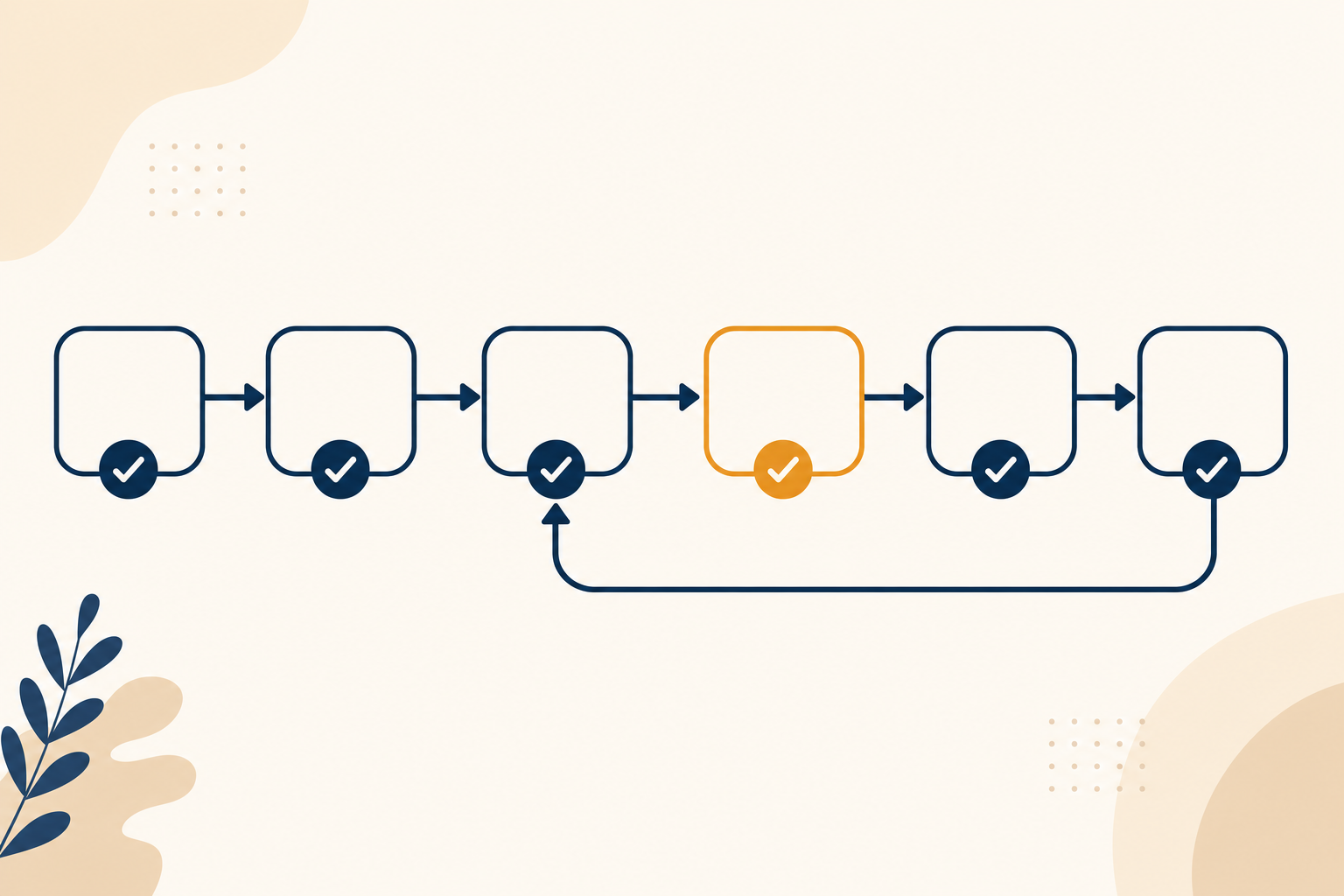
A regression testing workflow, from PR to the first hour live
- Before you refactor, write down why the code is odd. The missing "why" comments prompt finds the workarounds that look like mistakes, which are the first things a refactor breaks.
- Plan tests with the feature. For new work, the feature test plan prompt lists the happy paths, edge cases and regression risks before any code is written.
- Build the checklist during review. Run the generator prompt on the PR. Pair it with the PR review prompt and, if auth or payments changed, the security review prompt.
- Upgrading a library? The dependency upgrade prompt reads the changelog and flags what could break in your code. Moving data? Use the zero-downtime migration prompt and rehearse the rollback.
- Run smoke tests first, then the targeted checks, highest risk first. If a smoke test fails, stop and fix it before going further.
- Turn any failure into a clean ticket. The reproducible test steps prompt writes it up so a developer can reproduce it first time. For a failure that only shows up sometimes, use the intermittent bug reproduction prompt.
- Ship, then watch for an hour. Keep the rollback trigger on screen. If something does break, the post-incident review prompt turns it into a new line on next release's checklist.
- Tell customers what changed. The release notes prompt turns the shipped tickets into notes people read.
Which page do you need?
This guide is the full regression testing checklist for any release: hotfixes, features, upgrades and migrations. If your job today is one large, risky refactor, go straight to the regression test checklist prompt, which focuses on what that single change could break and which checks are new risk. For more prompts across specs, debugging and code review, see AI prompts for product managers and engineers.
Mistakes that let regressions through
- Testing with a brand-new account only. Most regressions hit old data: legacy records, odd settings, cancelled plans.
- Checks with no expected result. "Check the invoice" passes. "The invoice shows a £5.00 discount line and VAT of £4.17" can fail.
- Skipping background jobs. Renewals, exports and scheduled emails run when nobody is looking.
- A vague rollback rule. "If something looks wrong" leads to a debate. A number on a dashboard leads to a decision.
- A checklist that never grows. Every escaped bug should add one line, so the same bug can't ship twice.
Build your checklist for the next release
Take the change you are shipping next, paste it into the regression test checklist prompt with the template above, then run the tester's check. In about 20 minutes you'll know what to retest, in what order, and the exact sign that means roll back.
For more prompts like these, with the method behind them, get the free Prompt King Handbook. It shows you how to get better results from ChatGPT, Claude and Gemini for engineering, client work and the rest of your business.