
The $65,000 Kitchen Remodel That Almost Stalled Over One Word
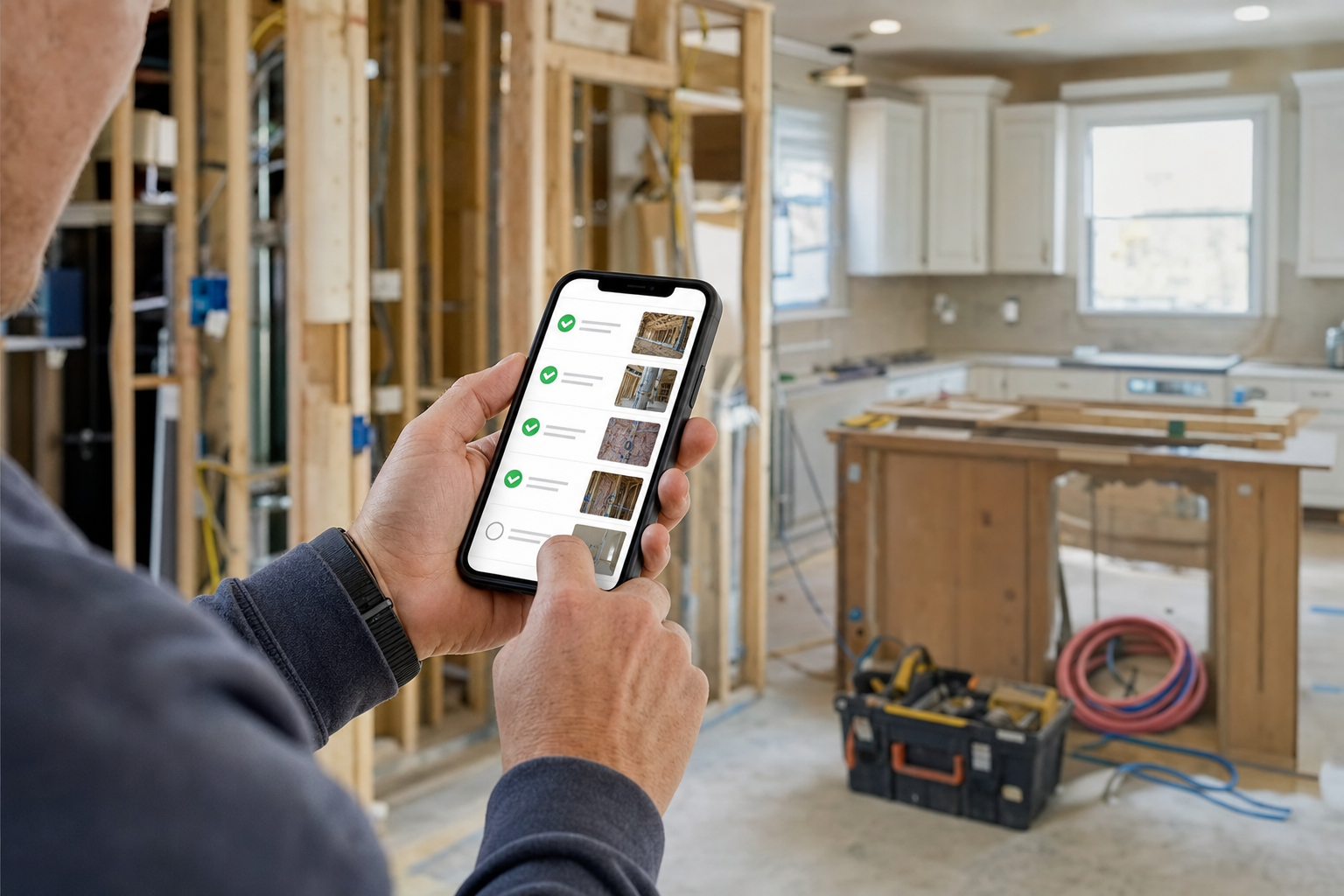
A kitchen remodel hits its rough-in milestone. The contract says payment is due once "rough-in is complete." The contractor thinks it's done. The homeowner isn't sure what rough-in even covers, doesn't want to pay for something they can't verify, and asks for a few more days to think about it. Nobody's acting in bad faith here. The contract just never defined the milestone clearly enough for either side to point to and say "yes, this."
Want to build the app that fixes this exact moment? The Milestone Draw Payment & Progress Verification tool turns a contractor's payment schedule into explicit, photo-verified criteria a client can check off themselves, so draw payments stop stalling on ambiguity.
Most payment disputes aren't really about money
They're about definition. A construction payment schedule that says a draw is due on "sign-off" or "completion of demo" without spelling out what that actually means leaves both sides guessing at the exact same moment money is supposed to change hands. The data backs up how much this costs contractors directly: those working from a clear, written payment schedule get paid roughly 23 days faster on average than contractors relying on verbal agreements or vague contract language. That's not a small gap. That's three weeks of cash flow sitting on the other side of a definition nobody bothered to write down.
The fix isn't asking clients to trust the contractor more. It's removing the need for trust at the exact point where it usually breaks down: making every milestone specific enough that a client can verify it themselves from a photo, without needing to take anyone's word for it.
How the blueprint actually works
When a project starts, the contractor sets up a draw schedule the normal way, a deposit, a handful of milestones, a final payment. The difference is what happens at each milestone. Instead of a vague label like "demo complete," the contractor writes out the actual checkable criteria: all existing fixtures removed, walls opened to studs, debris hauled offsite. Specific enough that anyone looking at a photo can tell whether it's true.
When that milestone is reached, the contractor photographs proof against each listed criterion and submits it. The client gets a text link, no login, no app to install, and reviews the photos criterion by criterion. Not one blanket "approve this milestone" button that glosses over whatever specific thing they were actually unsure about, but individual approve-or-flag responses for each item. If everything checks out, the payment request for that exact milestone amount, defined in the draw schedule itself, generates automatically. If one criterion gets flagged, that specific item pauses while everything else can still move forward, and the contractor gets a clear note about exactly what's in question rather than a vague "we're not ready to pay yet."
The final milestone works the same way but adds a punch list, individual minor items the client checks off one at a time, with the last payment releasing once the list clears rather than being held hostage to one person's subjective sense of "is everything perfect."
It's a narrow-seeming problem to build a whole tool around, one word in a contract causing a payment to stall for a week and a half. But that narrowness is exactly why it's worth solving well. A contractor running six projects a year with an average draw schedule of five milestones each has thirty separate moments where this exact ambiguity could cost them cash flow, and every one of those moments is the same problem wearing a different milestone name.
A worked example
Picture a $65,000 kitchen remodel with a standard structure: 10% deposit, four milestones, 10% held for final punch list. The rough-in milestone arrives. The contractor opens it in the app and sees the criteria they wrote at project start: electrical rough-in inspected and passed, plumbing rough-in inspected and passed, HVAC ductwork installed and connected. They photograph each one, including the inspection sign-off tags visible in frame, and submit.
The homeowner gets a text within minutes. She opens the link on her phone during her lunch break, sees three photos next to three specific claims, and approves all three without hesitation, since there's nothing ambiguous left to second-guess. The $14,000 milestone payment request goes out immediately. Compare that to the version of this project without the tool: a phone call, an unclear description of what "rough-in" covers, a homeowner who wants to see it in person before paying, and a payment that lands a week and a half later than it needed to.
Why this beats a generic e-signature or invoicing tool
A contractor could technically bolt together an e-signature tool and a separate invoicing app and get something that looks similar on the surface. What that combination misses is the specific thing that actually prevents disputes: tying photo evidence directly to individually defined, individually approvable criteria, rather than one signature covering a whole milestone at once. A generic e-signature only proves someone clicked approve. It doesn't prove what they were actually looking at when they did, and it doesn't let them approve 90% of a milestone while flagging the one thing they're genuinely unsure about. That granularity is the whole mechanism, and it's not something a general-purpose signing or invoicing tool is built to provide out of the box.
Who should build and sell this, and the real economics
The right buyer is a general contractor or renovation company running multiple projects at once, typically somewhere in the $500,000 to $5 million annual project volume range, who's tired of draw payments stalling on vague milestone language or verbal disagreements about what's actually finished. The clearest signal is a contractor who's had at least one real dispute over "what does this milestone even mean," since that's the exact pain this tool removes.
Setup runs $2,800 to $4,200, covering the build and helping the contractor write genuinely specific milestone criteria for their typical project types, which is as much a coaching exercise as a technical one. The monthly retainer runs $347 to $547, covering hosting, SMS costs, and ongoing support as criteria get refined across the first few real projects. Given how directly this ties to cash flow, a performance-based structure is worth proposing: a lower base retainer around $247 a month plus a small percentage of payment volume processed through the app, which ties your fee to the exact thing the contractor is actually buying, faster and less disputed draw payments.
Start with one live project as a pilot rather than the contractor's whole portfolio. Renovation milestones unfold over weeks, so this pilot naturally takes longer to fully validate than a single-visit tool, but it gives you a real before-and-after comparison on days-to-payment that's far more persuasive than an industry statistic alone.
Getting the pilot criteria right
The single most important thing to get right during the pilot is spending real time with the contractor writing their first set of milestone criteria, rather than letting them reuse whatever loose language was already in their contract template. This usually takes longer than expected, partly because contractors are used to describing their own work in shorthand they understand perfectly but a client never would. Sit with them through at least one full draw schedule, pushing on every criterion until it's specific enough that someone with no construction background could look at the resulting photo and agree it's true. That extra hour of setup work is what separates a tool that actually prevents disputes from one that just moves the same vague language onto a nicer interface.
What to actually expect when you build this
The photo-and-approval mechanics are straightforward. The part that actually determines whether this tool works is the milestone criteria themselves, and it's tempting to ship with generic placeholder criteria like "demo complete" that don't actually solve anything. Push every contractor you onboard to write criteria specific enough that a stranger looking at the photo could verify it, since vague criteria recreate the exact problem this tool exists to eliminate.
Test the flagged-issue pause logic with real care. A milestone that keeps generating payment requests despite an unresolved flag defeats the entire premise, so this needs to fail safe, always pausing when in doubt, never proceeding unnoticed. Once the base build is solid, expect requests for a change-order flow (renovations rarely go exactly to plan), a shared photo timeline the client can revisit after the project wraps, and eventually a link into whatever accounting software the contractor already uses for the payment records this tool generates.
Handling the "my clients trust me, I don't need this" objection
Some contractors will push back that their clients already trust them, and for a long-standing relationship or a referral from a happy past client, that's often genuinely true. This tool isn't built to manufacture trust where none exists. It's built for the specific moment even a trusting relationship gets tested: a milestone that's genuinely ambiguous, a client who's never done a renovation before and doesn't know what "rough-in" should look like, or simply the natural discomfort of handing over a large sum of money based on someone else's word. A good contractor with a trusting client still benefits from removing that one uncomfortable moment from every project, and a contractor building a reputation with new clients benefits even more, since specific, photo-verified milestones are exactly what turns a first-time client into a repeat one who refers the next job.
What this looks like from the client's side
It's worth designing with the client experience in mind as much as the contractor's, since a homeowner spending tens of thousands of dollars on a renovation is usually anxious about exactly the thing this tool solves: not knowing whether they're being asked to pay for something that's actually done. A draw schedule shown clearly at the start of the project, with plain-language criteria instead of contract jargon, does something beyond preventing disputes. It gives a nervous first-time renovation client a sense of control and visibility they wouldn't otherwise have, checking a photo against a specific claim rather than trusting a phone call. That's a genuine selling point a contractor can use in their own pitch to a hesitant client, beyond serving as an internal efficiency tool.
The change-order reality
Renovation projects rarely run exactly to the original plan, and a milestone system needs to survive that reality rather than assume a perfectly static scope. When a client adds a request mid-project, the right move is adjusting or adding a milestone within the existing schedule, not tearing up the draw structure and starting over, which is exactly the kind of disruption that reintroduces the ambiguity this tool exists to remove. Building this flexibility in from the start, rather than bolting it on after a contractor hits the problem on a real project, is worth the extra thought during setup. A tool that only works for a renovation that goes perfectly to plan isn't solving the actual problem contractors have, since almost none of them do.
Why now
Contractors lose real money to nothing more than unclear language, three weeks of delayed cash flow on average, multiplied across every project running at once. That's not a marketing problem or a trust problem. It's a specification problem, and it's one software actually solves well: turning a vague promise into something checkable removes the argument before it starts.
The full blueprint, including the complete master prompt, the milestone criteria and dispute-handling logic, and the ten-step build and nine-step launch phases, is live on Prompt-King now. If you know a contractor still chasing draw payments held up by vague sign-off language, this is the build that turns their slowest part of every project into a paid engagement.
None of this requires the contractor to change how they actually build. It only changes how the payment conversation happens at each stage, which is a small operational shift with a direct, measurable effect on how fast money moves.
Get the Milestone Draw Payment & Progress Verification blueprint now and have a pilot project ready to configure this week.