
The AI Tool That Gets Homeowners to Pay Before the Landscaper Shows Up
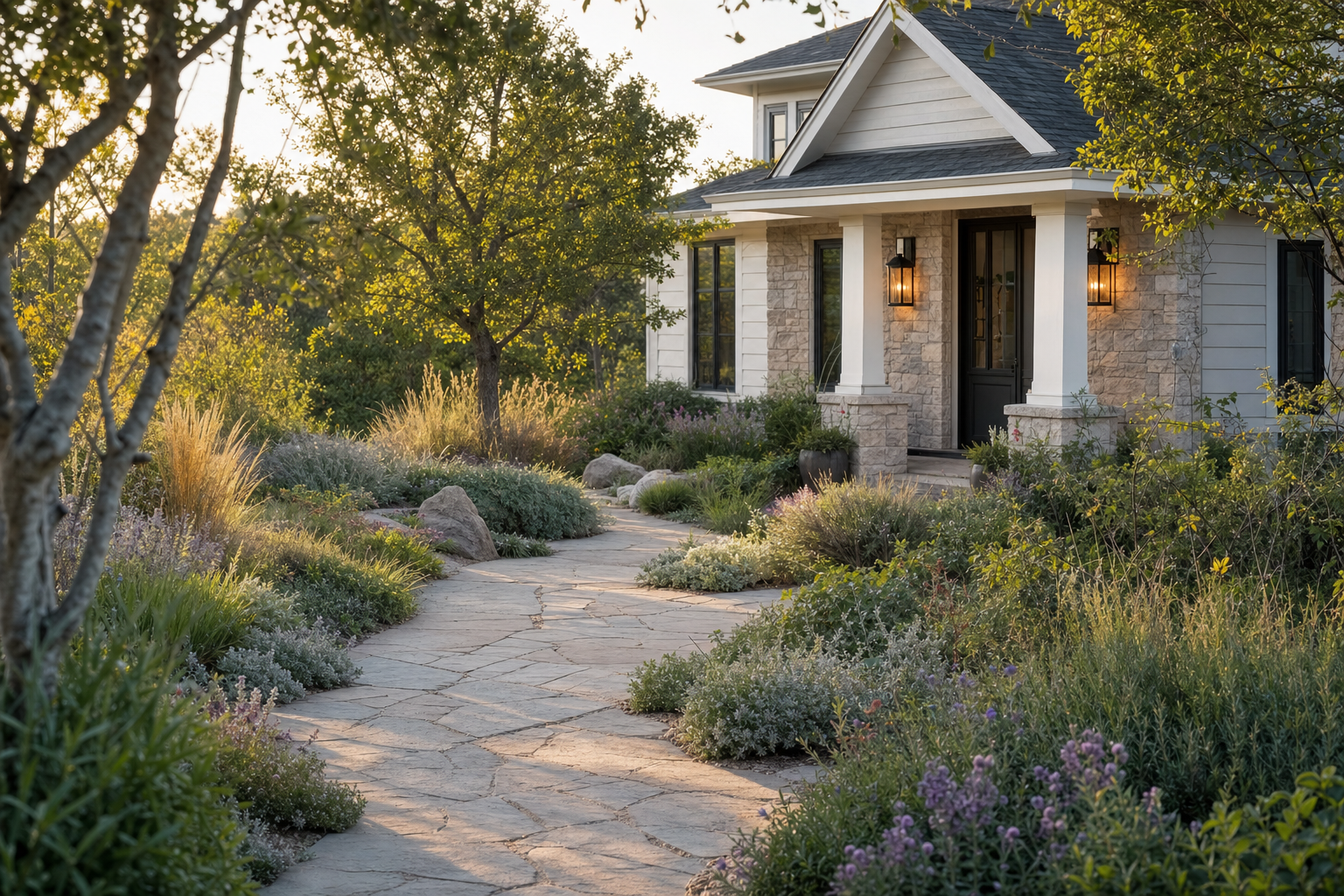
The Free Consultation Problem Nobody Talks About
A design-build landscape company gets a call. Homeowner wants the front yard redone, maybe the back too. The sales process starts the way it always has: someone with a truck and a tape measure drives out, walks the property for 90 minutes, sketches ideas on a clipboard, talks plant options, and promises a proposal by Friday. That visit costs the company real money. A senior designer or landscape architect isn't cheap, and 90 minutes on-site is closer to three hours once you count drive time, prep, and the follow-up proposal work.
Here's the number that makes this worth fixing: 60 to 70 percent of those consultations never convert into a signed project. For a company doing $15,000-plus jobs, that means the majority of a designer's field time each week is spent on homeowners who were never going to say yes, whether because the budget wasn't real, the style vision didn't match what the company builds, or they were just shopping around collecting free advice. Multiply that across a firm running 2 to 15 design projects a month and you're looking at a designer who spends more hours qualifying leads for free than actually designing.
The fix isn't a better intake form. It's flipping the order of operations. Instead of sending a person to discover what the homeowner wants, show the homeowner a rendered version of what they could have first, then charge for the visit that turns it into reality. That's the entire premise behind the Landscape Designers Yard Transformation Tool on Prompt-King.AI: a photo-in, rendered-plan-out app that does the emotional work a site visit used to do, before anyone gets in a truck.
Want the exact system that runs this? The full build, including the vision analysis prompt, the zone-matched plant database, and the three-phase pricing model, is documented step by step in the Landscape Designers Yard Transformation Tool blueprint on Prompt-King.AI.
What This Blueprint Actually Builds
The tool itself is simple to describe and genuinely hard to build, which is part of why it's positioned as one of the more advanced blueprints in the Prompt-King library. A homeowner uploads a photo of their front or back yard and picks a style direction. From there, the app does four things in sequence, and each one is doing more work than it looks like from the outside.
First, a vision model looks at the photo and reads the property: architectural style of the house, what's already planted, which way the yard faces (solar orientation matters enormously for what will actually grow and thrive there), and the general shape and structure of the lot. This isn't a generic "nice yard" caption, it's the input data every downstream step depends on. Get this analysis wrong and the render that follows will suggest a Mediterranean courtyard for a shaded, north-facing lot in zone 5, which helps nobody.
Second, the app looks up the homeowner's zip code against a seeded database that maps every US zip code to its USDA hardiness zone. This is the unglamorous backend work that makes the whole thing credible instead of decorative. A rendering tool that just generates pretty pictures of yards is a toy. One that knows the homeowner in Minneapolis is in zone 4b and the one in Tucson is in zone 9b, and filters every plant suggestion accordingly, is a tool a licensed landscape architect can actually put their name behind.
Third, the plant palette gets selected from a pre-built library, and this is where the real competitive moat sits. The blueprint calls for populating 100 to 200-plus species across USDA zones 3 through 10, each one tagged with common and Latin name, hardiness range, plant category, style classification (modern, cottage, Mediterranean, tropical, native, and so on), light and water requirements, maintenance level, toxicity flags, mature size, bloom timing, and an estimated cost. That's a genuine database build, not a prompt trick. It's also the piece that turns a rendered image into something a design-build firm can quote off of, because every plant in the render has a real price and a real growing requirement attached to it.
Fourth, the system generates three photorealistic variations of the yard in the chosen style, using image-to-image rendering (the blueprint specifies Flux Pro Kontext via fal.ai for exactly this reason: it holds onto the actual structure of the original photo instead of hallucinating a different house). Each render comes packaged with a three-phase plan. Phase one is what gets installed immediately for visible impact. Phase two is the expansion a year or two out, once the foundation plantings have had time to establish and the budget has room to breathe. Phase three is the mature, fully realized version of the design, five-plus years out, once trees have grown in and hardscape additions are complete. Each phase carries its own price range, so the homeowner isn't looking at one intimidating number, they're looking at a staged investment they can actually plan around.
By the time all four steps have run, the homeowner has seen their own yard transformed, in their preferred style, with real plants that will actually survive their climate, broken into a payment plan that doesn't require them to spend $40,000 on day one. That's the moment the app asks for $199 to book an on-site consultation, processed through Stripe, with a Twilio text confirming the appointment. The person walking in the door for that visit isn't a stranger being qualified for the first time. They're someone who already picked a direction, already picked a starting phase, and already paid to move forward.
Every step described above, the vision prompt, the zone lookup logic, the plant tagging schema, and the render sequencing, is spelled out line by line in the yard transformation blueprint, so you're not reverse-engineering any of it from a screenshot.
Walking a Real Homeowner Through It
Picture Dana, who owns a 1990s colonial in Charlotte, North Carolina. The front yard is the definition of builder-grade: a rectangle of lawn, two foundation shrubs nobody has trimmed since the house was built, and a concrete walkway with nothing growing near it. Dana has been meaning to do something about it for two years and finally searches "landscape design near me" on a Saturday morning, lands on a design-build firm's site, and finds the yard transformation tool linked from the homepage.
She uploads a phone photo taken from the sidewalk and picks "modern native" from a handful of style options. In the background, the vision model reads the photo: brick colonial, south-facing front yard, mature oak on the property line, existing shrubs are overgrown boxwood. Her zip code resolves to USDA zone 7b, which rules out the Mediterranean olive trees she'd been eyeing on Pinterest and pulls in southeastern natives that actually want to grow in Charlotte clay soil.
Thirty seconds later she has three renders. One keeps the lawn but adds structured native grass beds along the walkway. One replaces half the lawn with a gravel seating area and pollinator plantings. One goes further and reshapes the whole front bed line around the oak. She picks the second one, because she's been wanting somewhere to sit with coffee that isn't the back deck.
Under that render sits the phased plan. Phase one, roughly $6,000 to $9,000: regrade and gravel the seating area, install the structural plantings closest to the house, add the irrigation zone needed to establish everything. Phase two, a year out, roughly $4,000 to $6,000: expand the pollinator beds along the side yard, add a low stone border. Phase three, three to five years out, roughly $3,000 to $5,000: mature canopy plantings finish filling in, a small pergola goes over the seating area once the budget has recovered from phase one. Dana isn't looking at a $17,000 wall she has to climb in one jump. She's looking at a first move she can actually say yes to this spring.
She books the $199 consultation. A designer shows up two weeks later, and the conversation isn't "so, what were you thinking?" It's "I saw you picked the gravel seating layout, let's talk about stone options and get you a firm phase-one number." That's a fundamentally different sales conversation than the free 90-minute blank-slate visit, and it's why the conversion rate on paid, pre-committed consultations runs so much higher than the 30-40 percent baseline the free-visit model produces.
Who Should Actually Build and Sell This
This isn't a starter build, and Prompt-King is upfront about that. It's flagged as one of the more demanding blueprints in the library specifically because of the outdoor scene rendering (harder to get photorealistic than an indoor kitchen remodel, since outdoor lighting, foliage, and depth are much less forgiving of AI artifacts), the regional plant database, the USDA climate zone integration, and the three-tier pricing logic layered on top of all of it. Expect 18 to 25 minutes for the initial build inside Lovable or Base44, followed by 5 to 10 rounds of refinement before the renders and the plant filtering are actually production-ready. The stack behind it is Lovable or Base44 for the app shell and backend functions, fal.ai running Flux Pro Kontext for the image-to-image rendering at roughly 5 to 15 cents per render, an OpenAI or Anthropic vision call for the property analysis at about six-tenths of a cent per photo, Stripe for the $199 deposit, and Twilio for the appointment confirmation texts.
That build cost is genuinely trivial next to what it's sold for. The blueprint prices this at a $2,500 setup fee and a $497 monthly retainer, sold into firms running $8,000 to $60,000 projects. Run the math on a single firm: one closed project a month more than covers the retainer for the rest of the year, and the tool is filtering leads on every single visit after that, not just the first one. There's no success fee or revenue-share layered into this particular blueprint, which is worth noting because a lot of AI tools in this space get sold with some kind of bonus-per-closed-deal structure. This one doesn't. The retainer is flat, which makes it a simpler pitch to a landscape company owner: predictable monthly cost, no negotiating what counts as a "close," no chasing down a percentage of a project six months later. You're selling infrastructure, not a commission plan. The full pricing script and the exact retainer pitch are laid out in the full build spec, so you're not guessing at how to position the monthly fee to a landscape company owner.
The firms that fit this best are established design-build operations with a landscape architect or senior designer already on staff, someone who is currently the person driving out to those free 90-minute visits and would rather be designing. A two-person outfit doing three jobs a year doesn't have the deal flow to justify a $497 monthly retainer. A firm doing 2 to 15 design projects a month, with a real backlog of consultation requests, absolutely does, because every dead-end visit this tool prevents is a couple of billable hours put back into that designer's week.
One thing worth building into the sales conversation, even though it's not spelled out in the blueprint itself: landscape demand is seasonal in a way that kitchen or bathroom remodeling isn't. Site visits and installs cluster hard in spring and early summer, with a smaller secondary bump in early fall. If you're selling this to a landscape firm, the setup work needs to happen in late winter, well before the spring rush, so the tool is live and generating booked consultations by the time homeowners start actually searching for landscaping help. Pitch this to a firm in June and you've missed most of the season's lead volume before you've even finished the build. Pitch it in January or February and it's ready to be the first thing a homeowner sees when they start planning their spring project.
Why This Is Worth Building Now
The plant library is the part of this build that actually compounds. Once you've populated 100-plus species tagged with hardiness zones, style categories, light and water needs, and real costs, that database doesn't have to be rebuilt for the next landscape firm you sell this to. You're reusing the hardest, most tedious part of the build across every future client in the vertical, while each firm still gets a tool that looks and feels custom to their region and their style aesthetic. That's a genuinely defensible position for whoever builds this well once: the render pipeline and the app shell are replicable, but a properly tagged, zone-accurate plant database across USDA zones 3 through 10 is not something a competitor throws together over a weekend.
And the underlying economics are hard to argue with. A firm loses money every time a designer drives to a consultation that goes nowhere, and right now two out of three of those visits go nowhere. A $199 pre-commitment fee doesn't just generate a small amount of direct revenue, it filters out the homeowners who were never serious, and it puts every remaining consultation in front of someone who has already picked a design direction and a starting budget tier before the designer even knocks on the door. For a business selling $8,000 to $60,000 projects, that's not a minor efficiency gain. That's the difference between a designer closing one in three visits and a designer closing most of them, on a stack that costs pennies per render to run and takes less than half an hour to stand up.
Ready to build it? The master prompt, plant database, and pricing model for the Landscape Designers Yard Transformation Tool are ready to go now: get the full blueprint.