
The Repair Order That Approves Itself: Why Shops Are Ditching the Phone-Call Estimate
A customer drops their car off for an oil change. Twenty minutes later, the service advisor calls: "Hey, while we had it up on the lift, we noticed your rear brake pads are getting thin, and there's a coolant leak near the water pump. Want us to take care of that today too?" The customer, standing in a waiting room or sitting at their desk at work, has nothing to go on except a voice on the phone. No photo, no measurement, no way to check if this is real or a pitch. Most people say "just do the oil change for now" and hang up, not because the brakes are fine, but because there's no way to evaluate a claim they can't see.
Want to build the tool that fixes this? The Digital Vehicle Inspection Report Generator turns a technician's inspection into a photo-backed report the customer approves line by line from their phone, no phone call required.
The trust gap phone-based approval can't close
This isn't really a sales problem. It's an information problem. When a service advisor describes brake wear over the phone, the customer has to decide whether to trust a claim they can't verify, from a business that profits if they say yes. That's an uncomfortable position for anyone, and the safe default when you're uncomfortable is to decline or stall. It has nothing to do with whether the repair is genuinely needed. A worn brake pad doesn't become less worn because the customer said no on the phone; it just means the shop loses a repair order it should have earned, and the customer drives around longer on a part that needed attention.
The numbers back this up. Phone-based approval on recommended repairs typically runs somewhere in the 65-75% range. When a customer can see photo evidence and approve with a tap from a text link instead, that number climbs to 90-95%. That's not because digital tools are better at persuading people. It's because seeing a photo of a scored rotor or a cracked belt removes the need to trust anyone's word for it. The customer is making an informed decision instead of a leap of faith, and informed decisions skew toward yes far more often when the underlying problem is real.
How the blueprint actually works
The mechanism is built around two flows that hand off to each other cleanly: what the technician does on the shop floor, and what the customer does on their phone afterward.
On the technician side, the app presents a standard inspection checklist grouped by system: brakes, tires, fluids, battery, belts and hoses, suspension, exhaust, lights, whatever categories the shop wants to standardize on. For each point, the technician marks a condition (Good, Fair, Needs Attention, Urgent), snaps one to three photos directly in the app, and adds a short voice note or typed comment describing what they're seeing. That's it from the technician's side: a checklist, a camera, and a quick note. No typing paragraphs, no filling out a separate estimate form.
Here's where the master prompt does real work: it turns a technician's shorthand into something a customer can actually understand. A tech saying "pads at 3, rotors scored, probably need a resurface or replace depending on spec" into a voice note becomes something like: "Your front brake pads are worn down to about 3mm (new pads start around 10-12mm) and the rotors show visible grooves. We recommend replacing the pads and either resurfacing or replacing the rotors, depending on how deep the wear is once we measure it precisely." Same finding, same urgency, but now a non-mechanic can actually evaluate it. For anything marked Needs Attention or Urgent, the app also generates a suggested line item: the specific repair, the plain-English reason, an estimated price range based on the shop's own labor rate and typical parts cost, and an urgency level.
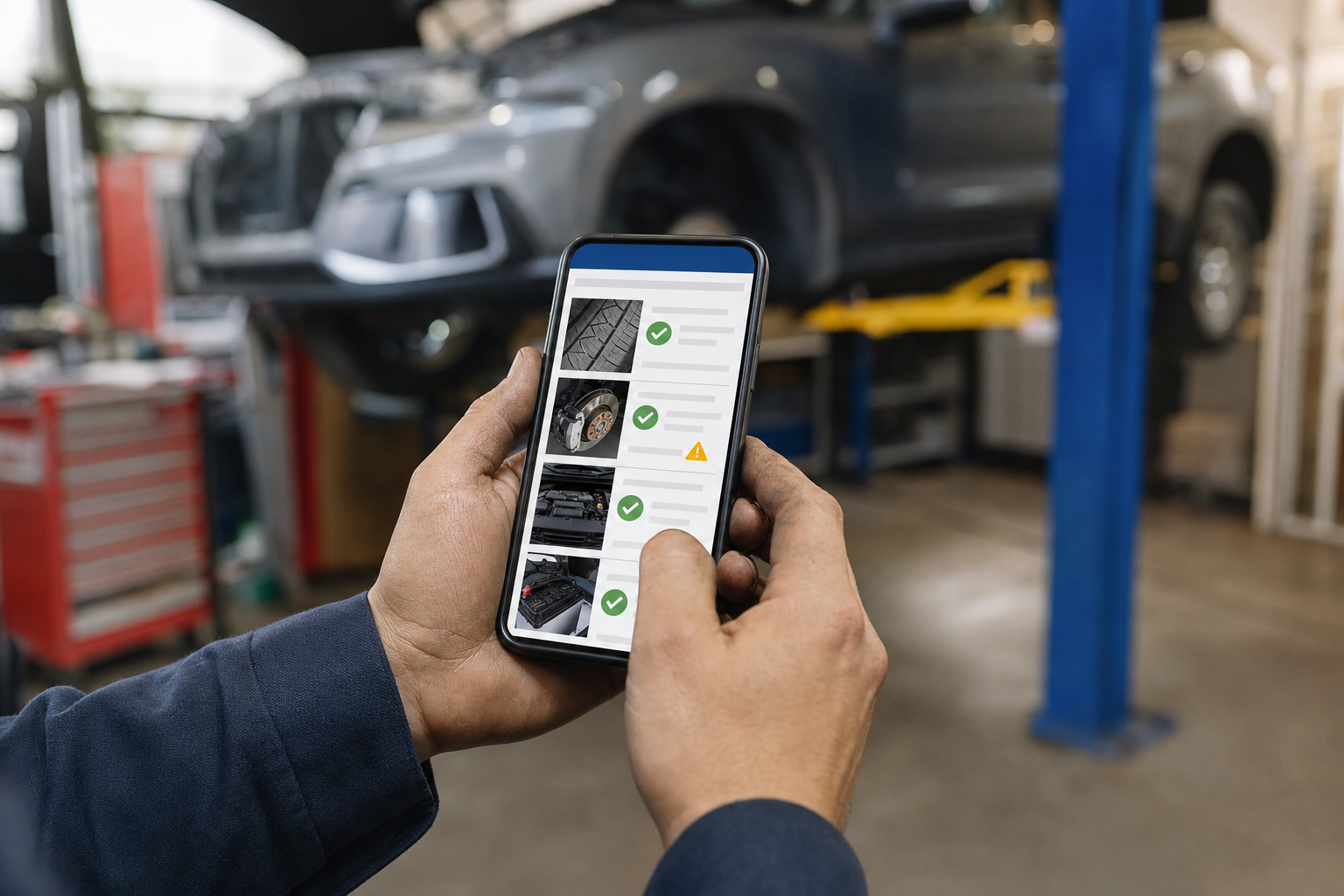
On the customer side, a text arrives the moment the technician submits the inspection: a short, calm message with a link, nothing alarming in the preview text. The report itself opens as a clean mobile page, vehicle info at the top, then every inspection point grouped by urgency: Urgent first, then Do Soon, then Monitor, then a collapsed section showing everything that checked out fine. That last part matters more than it might seem. Showing the full picture, including everything that's fine, builds credibility for the items that actually need attention. A report that only shows problems reads like a sales pitch. A report that shows the whole inspection reads like an inspection.
Each flagged item gets its own photo, its plain-English explanation, its price range, and an individual approve or decline toggle. Nothing is bundled. The customer can approve the brake work and decline the coolant flush in the same session, watching a running total update live as they go. When they submit, the shop gets an instant notification listing exactly what's approved, so the advisor can start the approved work immediately instead of calling back to confirm. Declined items don't disappear either: they resurface automatically at the next visit, same photo evidence attached, because a decline usually means "not now," not "never," and re-showing the original evidence tends to convert far better than starting the conversation over from scratch.
A worked example
Picture a shop called Ridgeline Auto, four bays, an average repair order around $450. A customer brings in a 2018 Civic for a routine oil change. The technician runs the standard inspection alongside the oil change, since the checklist takes maybe five extra minutes when it's built into the workflow rather than treated as a separate task. Two things get flagged: front brake pads at 3mm with scored rotors, and a serpentine belt showing visible cracking.
The technician records a fifteen-second voice note on each, snaps two photos per item, marks the brakes as Needs Attention and the belt as Do Soon, and submits. Within a minute, the customer gets a text. They open it from their phone during their lunch break, see the brake photos next to a plain-English explanation and a $280-340 price range, see the belt photos next to a $95-130 range, and approve the brakes while leaving the belt unchecked for now. They submit. Ridgeline's service advisor gets a notification: brakes approved, $310 mid-estimate, belt declined. The advisor starts the brake job that afternoon instead of playing phone tag. Three months later, at the next oil change, the belt item resurfaces automatically with its original photo, and by now it's visibly worse, so the customer approves it without much hesitation.
That's the whole mechanism in one visit: a five-minute addition to a workflow the shop was already running, evidence instead of a verbal claim, and a decline that isn't lost, just parked until it matters more.
What to actually expect when you build this
The checklist-and-photo-capture side of this build is the easy part for Lovable or Base44, most app builders handle a mobile-friendly form with camera access without much friction. The part that takes real iteration is the voice-note rewrite. Expect to spend real time tuning the prompt so it reliably turns a mechanic's shorthand into plain English without either dumbing down a genuine safety issue or sounding condescending to someone who might actually know their way around a car. Test it against real inspection language, not clean example sentences you write yourself, since actual technician notes are messier and more abbreviated than anything you'd draft for a demo.
Budget a second pass on the price-range logic too. It needs to flex per shop, using that shop's actual labor rate and typical parts markup, rather than defaulting to national averages. A shop owner will check the first few generated prices against their own point-of-sale numbers, and if those numbers look obviously wrong, it undermines trust in the entire tool before it's even had a chance to prove itself. Get this calibrated correctly during setup, not as an afterthought.
Once the base build is working, the most common follow-up requests are worth planning for in advance: a technician-side photo-quality check that flags a blurry photo before it can be submitted, a manager approval step for any single line item above a configurable dollar threshold before it reaches the customer, and a simple shop-side dashboard tracking approval rate and average time-to-approve across all inspections for the month. None of these are required for a working first version, but they're the natural next asks once an owner sees the base tool working, and it's worth having a rough sense of the added scope before a client asks for them mid-project.
Handling the skeptical owner
Some shop owners will push back that customers already trust their advisors, or that a photo-based system feels impersonal compared to a conversation. Both are fair concerns, and neither actually argues against this tool. A photo report doesn't replace the advisor relationship, it removes the one part of that relationship that was never actually working: asking someone to approve unseen work over the phone. The advisor still handles the actual conversation, the follow-up questions, the relationship. This tool just replaces the moment where the customer has to take a claim on faith with a moment where they can see the evidence for themselves. Owners who try it usually stop worrying about the impersonal objection within the first week, once they see how many customers actually prefer being able to review something calmly on their own phone instead of making a yes-or-no decision on the spot during a phone call.
Who should build and sell this, and the real economics
The buyer here is an independent shop owner, typically two to eight bays, who either has no digital inspection process at all and is losing approved work to phone-only distrust, or who's using a generic DVI tool that doesn't reflect their own pricing and feels like a rented, off-the-shelf system rather than something built for their shop specifically. Adoption of digital inspection in general is already meaningfully underway in the industry, which actually helps the pitch: you're not asking an owner to believe in a completely unproven idea, you're offering them a version built around their exact labor rate, their exact categories, and their own brand, instead of a one-size-fits-all SaaS subscription.
On pricing, a one-time setup fee in the $2,000-3,500 range covers the build, calibrating the price-range logic to the shop's actual labor rate and typical parts costs, and onboarding the technicians who'll actually use it day to day. The monthly retainer runs $297-497, which covers hosting, SMS delivery costs, and ongoing tuning as the shop's pricing shifts. If a flat monthly fee is a harder sell to a skeptical owner, a performance-based structure works well here: a lower base retainer around $197/month plus a small percentage, one to two percent, of the measurable lift in approved repair order value against the shop's own pre-DVI baseline over the first ninety days. That structure ties your payment to a result the owner can see in their own numbers, which is a much easier yes than asking them to trust an unproven monthly fee upfront.
The strongest way to close this isn't leading with industry statistics, even the real ones. It's proposing a two-week pilot alongside the shop's existing phone-based process, so the owner can compare approval rate and time-to-approve directly, using their own customers and their own numbers. Once you have that pilot data, every future sales conversation with a different shop gets easier, because you're no longer selling a concept, you're showing a result.
Why now
Independent shops are under real pressure from both directions: customers increasingly expect the kind of digital, photo-backed transparency they already get from other services, and shop owners are watching approved work slip away to a trust gap that a phone call simply can't close. A tool like this doesn't require the shop to change how they inspect a car, only how the result of that inspection gets communicated. That's a small operational change with a directly measurable revenue outcome, which is exactly the kind of pitch that gets a busy shop owner to say yes to a pilot instead of filing the idea away for later.
The full blueprint, including the complete master prompt, the field customizations, the two-phase build and rollout plan, and the performance-bonus pricing structure, is live on Prompt-King now. If you know a shop still running approvals over the phone, this is the build that turns that specific, everyday friction point into a paid engagement.
Get the Digital Vehicle Inspection Report Generator blueprint now and have a working pilot ready for a shop within the week.